Status & Stage
Co-Sell Referral Status & Stage Guide
Managing referrals across different cloud marketplaces can be complex because AWS, Azure, and GCP all use different terminology for their statuses and stages.
Fours unifies these into a single, standardized Fours Status to help you track your deals easily without needing to memorize specific definitions for every cloud provider.
This guide explains what each Fours status means and how it maps to the specific status or stage in AWS, Azure, and Google Cloud.
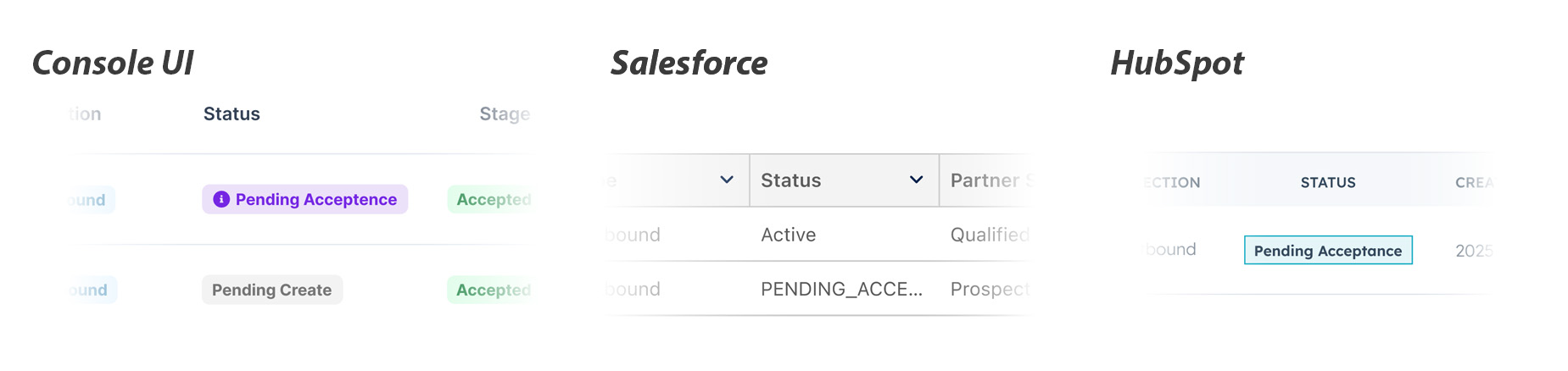
Status Overview & Mappings
The table below shows the correspondence between the unified Fours Status and the native Partner Status/Stage.
| Fours Status | Explanation | AWS Mapping | Azure Mapping | GCP Mapping |
|---|---|---|---|---|
| Draft | The referral is saved as a draft in Fours and has not been submitted to the cloud partner yet. | (Not yet synced) | (Not yet synced) | (Not yet synced) |
| Pending Create | The referral is currently being processed by Fours and will be created on the partner portal shortly. | Pending Create | (N/A) | (N/A) |
| Create Failed | The submission failed. You can hover over the status icon to see the specific error message. | (Error) | (Error) | (Error) |
| Update Failed | A later update to an existing referral failed to reach the cloud partner. The referral still exists — hover over the status icon to see the specific error message. | (Error) | (Error) | (Error) |
| In Review | Successfully submitted. Waiting for the cloud partner to review. | Status: Submitted, In Review | SubStatus: Pending (Outbound) | State: SUBMITTED |
| Pending Acceptance | Action Required: You received an inbound referral. Please accept or decline it to proceed. | Status: Received (Engagement Invitation) | SubStatus: Received (Inbound) | (N/A) |
| Action Required | Action Required: The cloud partner requires updates. Please modify the referral based on feedback and submit again. | Status: Action Required | (N/A) | (N/A) |
| Rejected | The referral was rejected by the cloud partner. | Status: Rejected | SubStatus: Declined | State: NOT_ACCEPTED |
| Expired | The referral expired because it was not approved or rejected within the time limit. | Status: Expired | Status: Expired | (N/A) |
| Active | The referral is active. It has been accepted by the cloud partner or created as a self-led referral. | Status: Approved | Status: Active & SubStatus: Accepted | State: ACCEPTED |
| Closed Won | The referral has been successfully closed as Won. | Stage: Launched | SubStatus: Won | Stage: MIGRATION_IMPL |
| Closed Lost | The referral has been closed as Lost. | Stage: Closed Lost | SubStatus: Lost | Stage: CLOSED_LOST |
| Closed Error | The referral was closed by the cloud partner due to a validation or system error. | (N/A) | SubStatus: Error | Stage: CLOSED_ADMIN |
Azure-only Columns
Two extra columns appear on the Azure tab of the referral list. They are shown by default, and they are removed automatically when you switch to a non-Azure tab — AWS and GCP have no equivalent, so there is nothing to show.
Microsoft Status
Microsoft Status is Microsoft’s own copy of the referral state, shown next to the unified Fours Status. Use it when you need to reconcile against what Partner Center displays rather than what Fours has normalized.
Microsoft expresses the state as a Status plus a Substatus:
| Part | Values |
|---|---|
| Status | New · Active · Closed · None |
| Substatus | None · Pending · Received · Accepted · Won · Lost · Declined · Expired · Error |
The pair is what carries the meaning — for example, Active + Accepted is a referral
Microsoft has taken on, while Closed + Won is a referral Microsoft considers won. The
Fours Status column above collapses these pairs into a single value.
Co-sell Type
Co-sell Type records how the deal is being run with Microsoft:
| Value | Meaning |
|---|---|
| Co-sell | Both you and Microsoft are actively working the deal together. |
| Partner-led | You lead the deal; Microsoft has visibility but is not selling alongside you. |
| Private | The referral is kept private to your organization. |
AWS-only Columns
AWS Score and Co-Sell Motion appear when the referral list is filtered to AWS. They are shown by default, and they are removed automatically when you switch to another partner, which has no equivalent.
AWS Score
AWS Score is AWS’s own quality score for the referral, from 0 to 100 (AWS API reference). It is the score AWS reports, not Fours’ prediction, and a referral AWS hasn’t scored yet shows —. For how the score is read, see AWS Opportunity Quality Score.
Co-Sell Motion
Co-Sell Motion is how AWS classifies its engagement on the opportunity: AWS Field-engaged, Agent-engaged, or Partner-led (AWS API reference). Fours shows N/A until AWS has classified the opportunity and returned a Co-Sell Motion.
When these columns were added, each person’s saved column choice for the Cloud Partners list was reset once to the default columns. Use Columns to hide any column you had turned off.
Filter by AWS’s fields
With AWS selected in the referral list, the filter also offers fields AWS reports for the opportunity:
| Filter | Values |
|---|---|
| AWS - Co-Sell Motion | AWS Field-engaged, Agent-engaged, Partner-led |
| AWS - Involvement Type | Co-Sell, For Visibility Only |
| AWS - AWS Visibility | Full, Limited |
| AWS - Origin | AWS Referral, Partner Referral |
| AWS - AWS Stage | AWS’s own stage for the opportunity, separate from the referral’s Stage: Prospect, Qualified, Technical Validation, Business Validation, Committed, Launched, Closed Lost |
| AWS - Opportunity Quality Score | A score from 0 to 100 |
| AWS - Opportunity Quality Trend | Improving, Declining, No Change |
Partner Filter for Fours Co-Sells
With SUGER selected in the referral list, the filter’s Partner field searches your partners as you type, pending and inactive partners included, and loads more as you scroll. It matches a co-sell whether the partner you pick was the first one on it or was added later.
The filter is saved in your browser separately for each of AWS, AZURE, GCP and SUGER, so switching from AWS to SUGER and back brings back the filter you left on each.
Understanding Key Features
1. Unified View
Instead of juggling AWS “Stages,” Azure “Sub-statuses,” and GCP “States,” you can rely on the Fours Status column to know exactly where a deal stands in the lifecycle.
Each status carries an in-product tooltip. Hover the status on any referral to read the same explanation the table above gives, without leaving the list. On a Fours partner-to-partner co-sell (the list set to SUGER), the tooltip instead says who the deal is waiting on — for example You shared this referral with your partner. Waiting for them to accept or decline it. — and the tooltips on the Direction, Status and Stage column headers use partner wording and Fours’ own deal stages. See Track and Respond to Deals for what each party does next.
2. Error Troubleshooting
If a referral enters the Create Failed or Update Failed state:
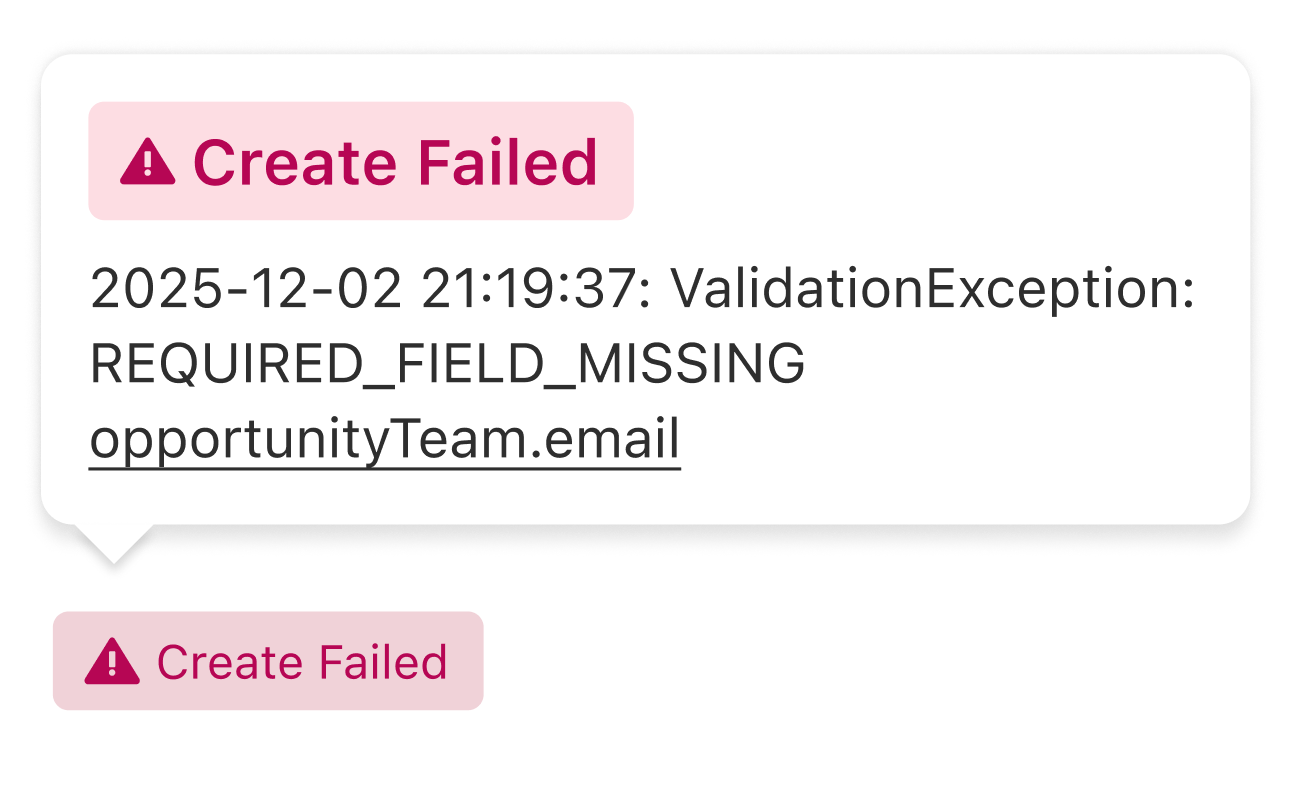
Hover: You can hover your mouse over the status in the list view to see a card containing the specific error message explaining why it failed.
Detail Page: The error message is also visible directly on the referral detail page.
Operations: On an AWS, Azure, or GCP referral’s detail page, open More actions › Operations to list each run Fours made for the referral. Select the View details icon on a failed run to see why it failed.
Failures that don’t change the status
Not every failure shows up as Create Failed or Update Failed. Some leave the referral’s status exactly as it was (Active, for example) and put a red ! on the status tag instead:
- Hover the tag. Instead of the usual status explanation, the hover card shows the reason, under an Update Failed label.
- Open the referral. On an AWS, Azure, or GCP referral, a banner at the top of the detail
page reads
Update Failed: <reason>. - Find every affected referral. With AWS, Azure, or GCP selected in the referral list, add
the filter Update Status =
FAILED.
The mark clears on its own the next time the same action succeeds, so there is nothing to dismiss.
Situations that produce the mark include:
| What failed | The reason shown | What to do |
|---|---|---|
| A CRM change failed Fours’ AWS update check, so it never reached AWS | Starts with CRM sync rejected: | See Referral Syncing → Troubleshooting |
| Accepting or declining an AWS engagement invitation | The error AWS returned | See Inbound Referral |
| A CRM stage mapped to Won could not close a Fours co-sell | What blocked the close | See CRM Closed Won didn’t close the co-sell below |
Cross Cloud Conflict
Not every blocked change shows up as a failure. If you enabled the Prevent duplicate Closed Won validation rule, Fours checks — before moving a referral into the guarded stage — whether the same CRM opportunity has already transacted in a different cloud. When it has, the stage change is skipped rather than rejected: nothing is saved, nothing is pushed to the partner, and no error is returned.
Because that skip is silent, the referral detail page raises a dismissible yellow Cross Cloud Conflict alert instead. It tells you:
- which automatic action was skipped, and the stage it would have moved to;
- which cloud the deal appears to have already transacted in;
- the CRM record value that matched, and a link to the conflicting offer.
What to do: open the linked offer and confirm which cloud the deal genuinely closed in. If this referral should close too, move the stage in the partner portal directly, or turn the validation rule off for that stage mapping. Dismissing the alert only hides it — it does not apply the skipped change.
CRM Closed Won didn’t close the co-sell
This applies to Fours partner-to-partner co-sells. When the CRM opportunity linked to your copy of the co-sell moves to a stage mapped to Won in your stage mapping, Fours closes your copy as Won for you. That holds for whichever copy is linked to your CRM — the one you shared as the seller, or one a partner shared with you that you linked to your own opportunity.
The CRM moves your copy to its other stages the same way — Active, In Discovery, Proposal Sent, Negotiating, On Hold or Lost — and every stage change, Won included, follows a few limits:
- A stage change applies while the co-sell is Active. Until a partner accepts it, the only change the CRM can make to a co-sell you shared as the seller is closing it as Lost; a Won is refused, which raises the card below. A co-sell a partner shared with you is never moved before you accept it, because accepting or declining it stays your decision.
- The CRM never moves a co-sell back to Pending, and never changes a closed co-sell.
- A co-sell closed as Lost from the CRM with no reason mapped gets the reason Closed in CRM.
For when these changes arrive, and which other fields the CRM updates, see Referral Syncing.
The automatic close runs the same checks as the Close Won gate. If one of them fails, the co-sell stays open, and the right-hand panel of its detail page shows an amber Action Required card headed CRM opportunity closed won, with the reason. The most common reasons:
| Reason on the card | What to do |
|---|---|
| The co-sell hasn’t been accepted yet | Only an Active co-sell can close as Won, so the co-sell has to be accepted first. |
| The final deal value is missing | Add a deal value greater than 0. |
| The deal value currency is not set | Set the currency. |
| A partner’s commission terms are still incomplete | Finish that partner’s commission terms. |
If you are the seller and the co-sell is Active, the card also offers Complete & Close Won. It opens the Close Won gate, where you supply what is missing and close the deal. The card disappears once the co-sell is closed as Won.
For the rest of the deal page, see Track and Respond to Deals.
3. Inbound vs. Outbound Logic
In Review: Generally applies to Outbound referrals (deals you sent to the cloud partner) that are waiting for their approval.
Pending Acceptance: Applies to Inbound referrals (opportunities the cloud partner sent to you) that require your acceptance.
Spotted something wrong or out of date on this page? Tell us and we'll correct it.