Databricks
Connect to Databricks to unify data, run analytics, and trigger workflows.
Overview
Databricks is a Data Intelligence Platform enables organizations to unify data, analytics, and AI workflows, allowing teams to build generative AI applications, democratize data insights, and govern enterprise data across multiple cloud environments while integrating with existing tools.
Connecting Fours to your Databricks account enables you to automate tasks within Databricks and integrate it with other applications, allowing for actions such as executing SQL queries, uploading data files, and triggering to run jobs defined in Databricks.
Create Integration
- Set up a Databricks account.
- Fours supports two kinds of Databricks authentication, following each documents to generate the corresponding credentials:
- Click the Databricks “Connect” button on the “Integrations” page.
- Enter Connection Information:
- Host: The Databricks host URL, e.g.
https://<databricks-instance>.cloud.databricks.com - Choose the authentication method you generated in step 2.
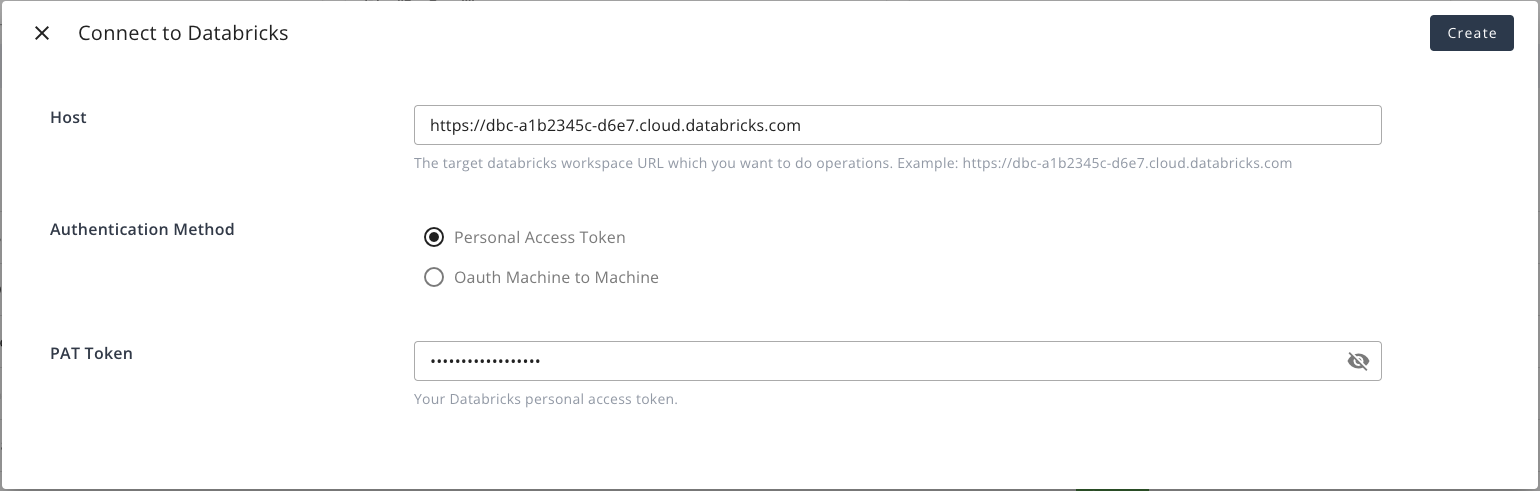
- For Personal access token authentication, enter:
- Token: The personal access token you generated in step 2.
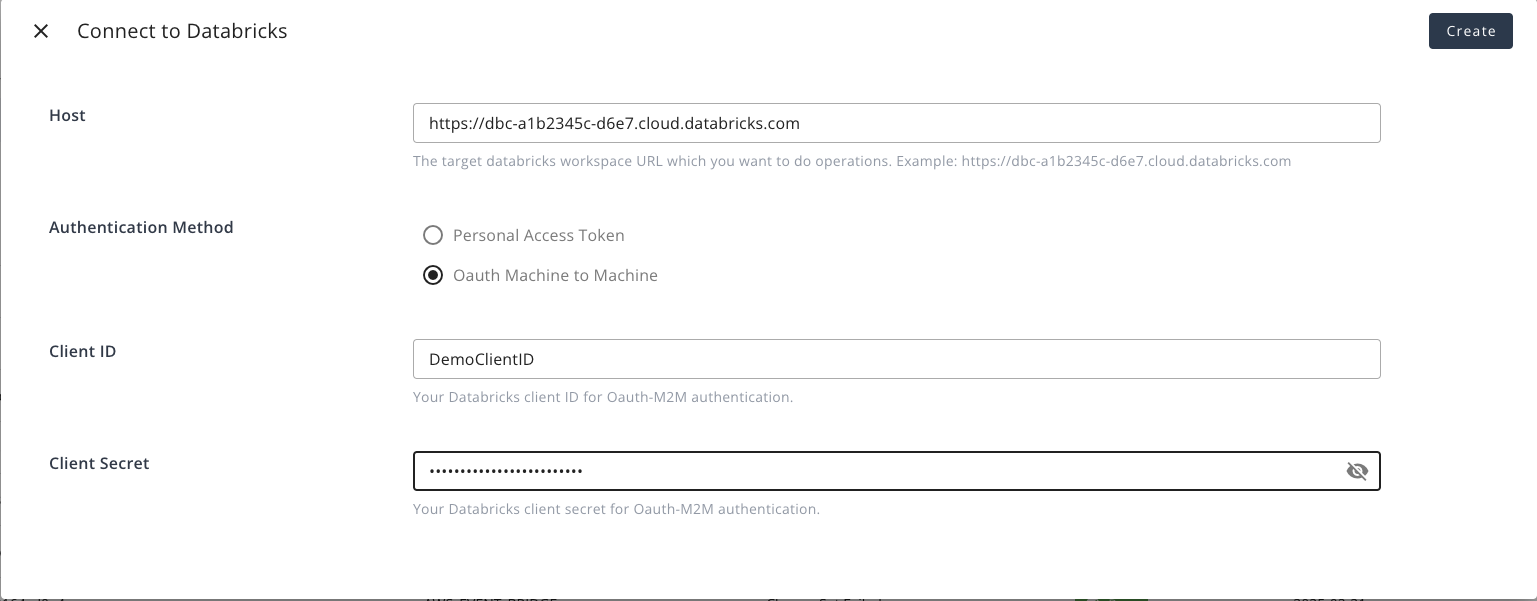
- For OAuth service principal authentication, enter:
- Client ID: The client ID you generated in step 2.
- Client Secret: The client secret you generated in step 2.
- For Personal access token authentication, enter:
Example 1: Create integration using Personal access token authentication:
Example 2: Create integration using OAuth service principal authentication:
Fours AI Tools
When Databricks is connected, the Fours AI agent can explore your Unity Catalog and run SQL on your warehouses through Fours’ built-in tools (10 actions).
Org-level only: Databricks tools use the organization’s Databricks credentials.
| Tool | Description |
|---|---|
list-catalogs | List Unity Catalog catalogs |
list-schemas | List the schemas in a catalog |
list-tables | List the tables in a catalog and schema |
get-table | Get one table’s columns and schema, by its full name (catalog.schema.table) |
list-warehouses | List SQL warehouses — run-sql needs a warehouse ID |
run-sql | Run a SQL statement on a warehouse and return the results. If they aren’t ready in about 50 seconds, it returns a statement ID to check with get-statement |
get-statement | Get the status and result of a statement by its ID |
list-clusters | List compute clusters |
list-jobs | List Databricks Jobs |
current-user | Get the Databricks identity the connection uses — a quick connection check |
run-sql runs whatever statement it is given, including ones that change or drop data, so an agent gets it only with Full access to Databricks. With Read-only or Edit access it keeps the other nine tools, which only read. See Agent access levels.
Edit Integration
Edit is not supported for Databricks integration. For security, if you need to update credentials, delete the integration and recreate it.
Delete Integration
To delete the integration, simply click the 🗑️ button in the “Integrations” list. We will remove any credentials in our system.
Spotted something wrong or out of date on this page? Tell us and we'll correct it.