# Co-Sell Insights
Suger Insights powered by AWS Co-Sell Agents.
---
## Overview
The Suger Widget **Insights Tab** uses pre-defined triggers to evaluate your opportunity data. It then surfaces actionable cards powered by AWS Co-Sell AI Agents to provide proactive guidance on deal progression, funding eligibility, and risk mitigation.
## Prerequisites
To use these AI-powered features, the following must be in place:
- **AWS PC 3.0 Migration**: Your ACE account must be migrated to AWS Partner Central 3.0.
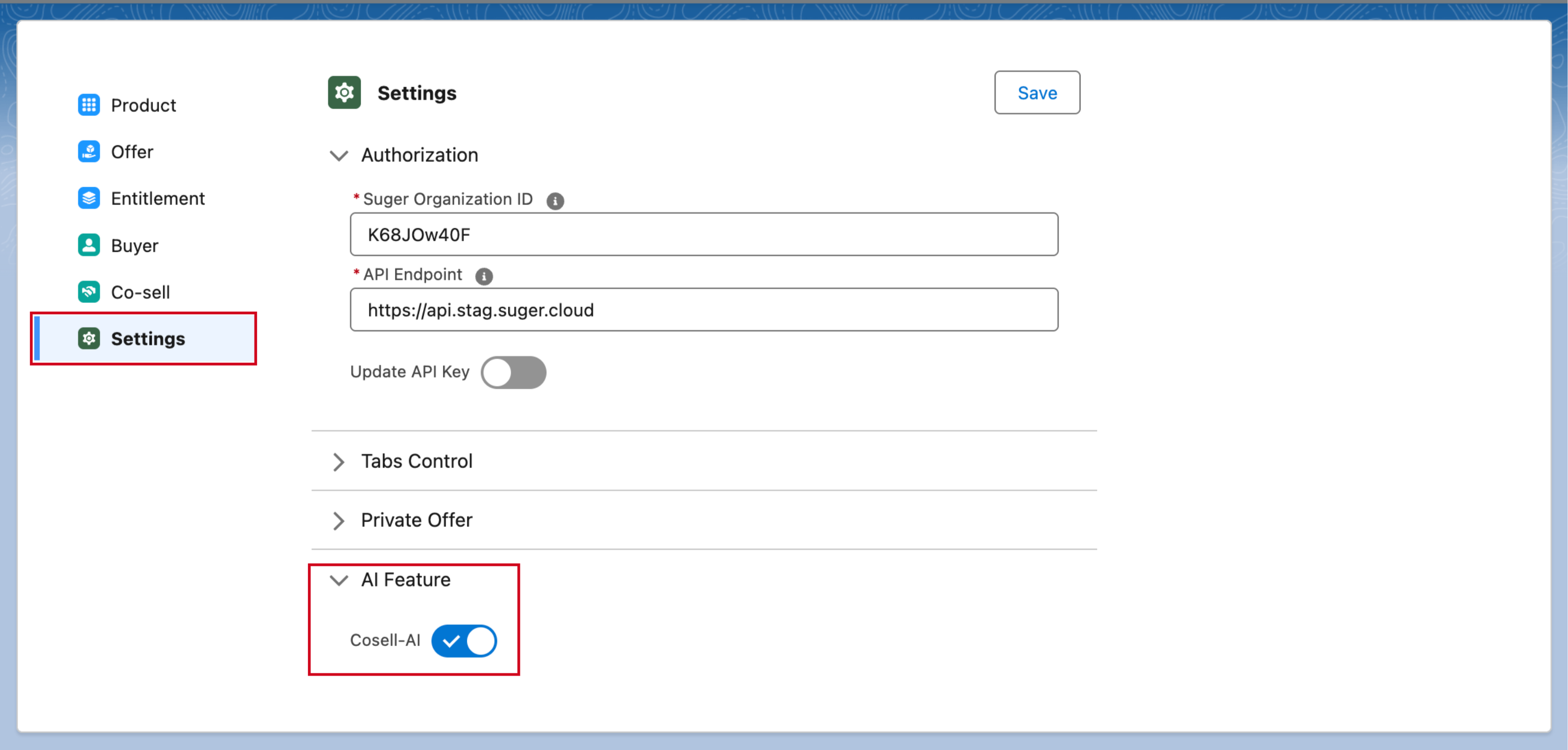
- **Co-sell AI enabled by Suger**: The Cosell-AI feature is switched on by Suger, not by your team. Contact [support@suger.io](mailto:support@suger.io) to have it enabled for your organization.
>  ## How it Works
The Insights Tab is organized around three distinct card types, following a strict visual hierarchy:
### 1. Warning Cards (Suger-Computed)
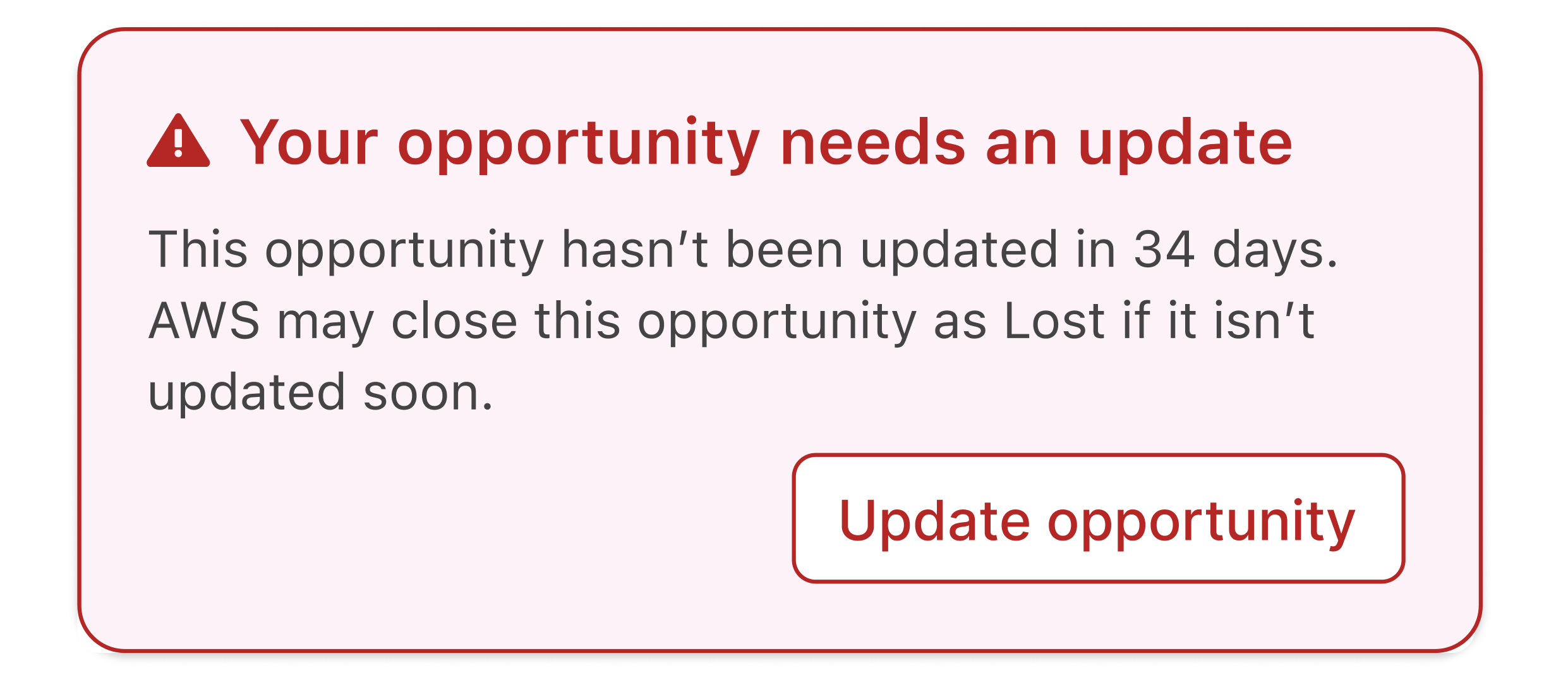
These are deterministic alerts rendered immediately at the absolute top of the AI Tab.
- **Visibility**: Always visible when a trigger condition is met (e.g., an opportunity hasn't been updated in 30+ days).
- **Interaction**: These often include inline CTAs like "Update Close Date". You can dismiss them for the current session, but they will reappear on your next visit if the condition persists.
>
## How it Works
The Insights Tab is organized around three distinct card types, following a strict visual hierarchy:
### 1. Warning Cards (Suger-Computed)
These are deterministic alerts rendered immediately at the absolute top of the AI Tab.
- **Visibility**: Always visible when a trigger condition is met (e.g., an opportunity hasn't been updated in 30+ days).
- **Interaction**: These often include inline CTAs like "Update Close Date". You can dismiss them for the current session, but they will reappear on your next visit if the condition persists.
>  ### 2. Main Insight Cards (AWS MCP Powered)
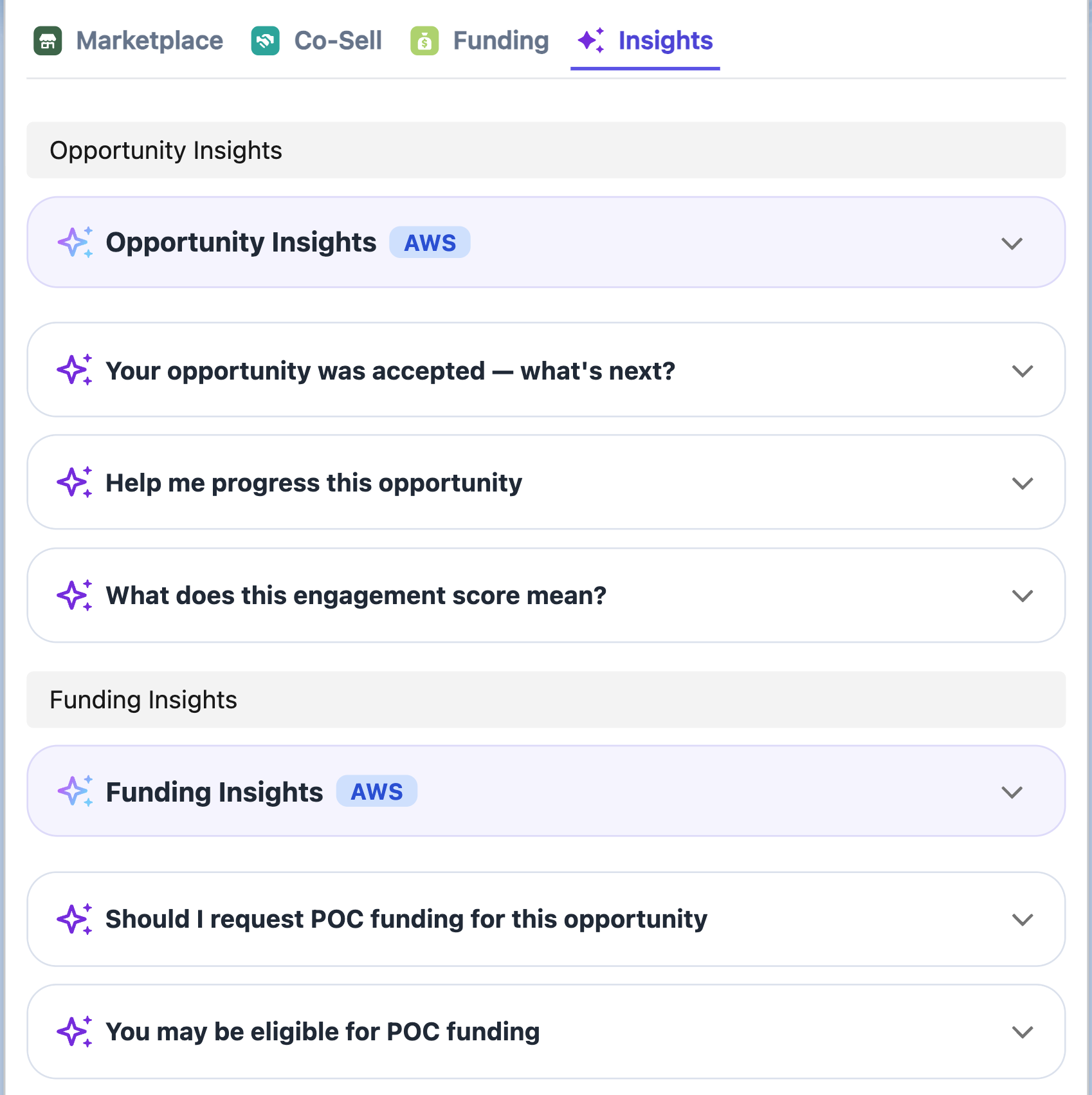
These cards are fetched from AWS MCP when the AI Tab loads and are cached for approximately 10 days.
- **Opportunity Insights**: Provides a summary of general opportunity health, engagement scores, and quick wins.
- **Funding Insights**: Surfaces eligibility for programs like POC funding or MDF (available for approved/accepted opportunities).
### 3. AI Trigger Cards (Recommended Actions)
These cards map to specific conditions in the AWS ACE opportunity lifecycle and appear grouped beneath their parent Insight Card.
- **Interaction**: Click a card (e.g., "Help me progress this opportunity") to expand it.
- **Examples**: "Why was this rejected?", "Request POC funding", or "Get pricing and business case support".
>
### 2. Main Insight Cards (AWS MCP Powered)
These cards are fetched from AWS MCP when the AI Tab loads and are cached for approximately 10 days.
- **Opportunity Insights**: Provides a summary of general opportunity health, engagement scores, and quick wins.
- **Funding Insights**: Surfaces eligibility for programs like POC funding or MDF (available for approved/accepted opportunities).
### 3. AI Trigger Cards (Recommended Actions)
These cards map to specific conditions in the AWS ACE opportunity lifecycle and appear grouped beneath their parent Insight Card.
- **Interaction**: Click a card (e.g., "Help me progress this opportunity") to expand it.
- **Examples**: "Why was this rejected?", "Request POC funding", or "Get pricing and business case support".
>  ## AWS Opportunity Quality Score
Before you submit an opportunity to ACE, Suger predicts how AWS is likely to rate its
quality — so you can improve it while editing rather than after a rejection.
:::info
The quality score is **AWS-only**. There is no Azure or GCP equivalent, and the banner
does not appear on referrals to those partners.
:::
### Where you see it
The score appears as a **Predicted AWS quality score** banner in the ACE submission
dialog. After you change the fields the score depends on, click **Re-analyze** to score
the opportunity again with your edits.

### How the score is read
The score runs from **0 to 100** and falls into one of five bands:
| Band | Score |
| --- | --- |
| **Lowest** | 0–10 |
| **Low** | 11–25 |
| **Medium** | 26–39 |
| **High** | 40–49 |
| **Highest** | 50 and above |
The number comes from a rubric of **8 weighted dimensions** evaluated across the
opportunity — no single field decides it, so improving one weak area moves the score
rather than transforming it.
### The business-problem gate
One check overrides everything else. If the **Customer Business Problem** is a
placeholder, too short, or reads as a pitch for your product rather than a description of
the customer's problem, the score is forced to **0** regardless of how strong the rest of
the opportunity is.
That gate is deliberate: AWS partner managers read the business problem first, and a
weak one sinks an otherwise good opportunity. If your score is 0, rewrite the business
problem before looking at anything else.
## Generate the Customer Business Problem with AI
Because the business problem carries so much weight, Suger can draft it for you. Use
**Generate with AI** on the **Customer Business Problem** field.
What you get back:
- **2–4 sentences**, written **from the customer's perspective** — the problem they have,
not the product you sell.
- Length inside AWS's expectations. The existing rule still applies: Suger instructs the
AI to produce **500–1,800 characters** and truncates anything over 1,800.
If your organization has defined its own prompt for this field in the co-sell field
mapping configuration, that prompt is used instead of Suger's default — so you can steer
tone and emphasis for your whole team in one place. See
[Field Mapping](/cosell/cosell-configuration/) for where the prompt lives.
## Engagement Score
The engagement score estimates how engaged a customer already is with a cloud partner. It
is reported as one of three values:
**`High`** · **`Medium`** · **`Low`**
Suger resolves it from the best source available, in order:
1. **Partner** — the score the cloud partner itself reports for the customer.
2. **Marketplace** — derived from the customer's activity on that partner's marketplace,
used when the partner reports no score.
3. **AI** — an AI-derived estimate, used as the fallback when neither of the above is
available.
The score is refreshed every **6 hours**, so a newly created customer record may take a
cycle before a score appears.
## AWS Opportunity Quality Score
Before you submit an opportunity to ACE, Suger predicts how AWS is likely to rate its
quality — so you can improve it while editing rather than after a rejection.
:::info
The quality score is **AWS-only**. There is no Azure or GCP equivalent, and the banner
does not appear on referrals to those partners.
:::
### Where you see it
The score appears as a **Predicted AWS quality score** banner in the ACE submission
dialog. After you change the fields the score depends on, click **Re-analyze** to score
the opportunity again with your edits.

### How the score is read
The score runs from **0 to 100** and falls into one of five bands:
| Band | Score |
| --- | --- |
| **Lowest** | 0–10 |
| **Low** | 11–25 |
| **Medium** | 26–39 |
| **High** | 40–49 |
| **Highest** | 50 and above |
The number comes from a rubric of **8 weighted dimensions** evaluated across the
opportunity — no single field decides it, so improving one weak area moves the score
rather than transforming it.
### The business-problem gate
One check overrides everything else. If the **Customer Business Problem** is a
placeholder, too short, or reads as a pitch for your product rather than a description of
the customer's problem, the score is forced to **0** regardless of how strong the rest of
the opportunity is.
That gate is deliberate: AWS partner managers read the business problem first, and a
weak one sinks an otherwise good opportunity. If your score is 0, rewrite the business
problem before looking at anything else.
## Generate the Customer Business Problem with AI
Because the business problem carries so much weight, Suger can draft it for you. Use
**Generate with AI** on the **Customer Business Problem** field.
What you get back:
- **2–4 sentences**, written **from the customer's perspective** — the problem they have,
not the product you sell.
- Length inside AWS's expectations. The existing rule still applies: Suger instructs the
AI to produce **500–1,800 characters** and truncates anything over 1,800.
If your organization has defined its own prompt for this field in the co-sell field
mapping configuration, that prompt is used instead of Suger's default — so you can steer
tone and emphasis for your whole team in one place. See
[Field Mapping](/cosell/cosell-configuration/) for where the prompt lives.
## Engagement Score
The engagement score estimates how engaged a customer already is with a cloud partner. It
is reported as one of three values:
**`High`** · **`Medium`** · **`Low`**
Suger resolves it from the best source available, in order:
1. **Partner** — the score the cloud partner itself reports for the customer.
2. **Marketplace** — derived from the customer's activity on that partner's marketplace,
used when the partner reports no score.
3. **AI** — an AI-derived estimate, used as the fallback when neither of the above is
available.
The score is refreshed every **6 hours**, so a newly created customer record may take a
cycle before a score appears.